Instructions for Claude: three layers, and what belongs in each
By Stephen Kearney
If you are typing “use Australian spelling” into every conversation, you have missed a setting.
Not a hidden one. It is in Settings, it has been there the whole time, and it takes about four minutes to fill in. The reason people skip it is that nothing prompts you to, and Claude is agreeable enough about being told the same thing every session that the annoyance never quite reaches the level of doing something about it.
This is the sixth post in a series on getting actual work out of Claude. Post one has the setup if you are starting here, and post five covered getting a document back that you do not have to redo, which is the first job where standing instructions pay for themselves.
Three layers, narrowing
Instructions stack. Each layer is more specific than the one above it, and the right question is never “what should I tell Claude” but “at what level is this true”.
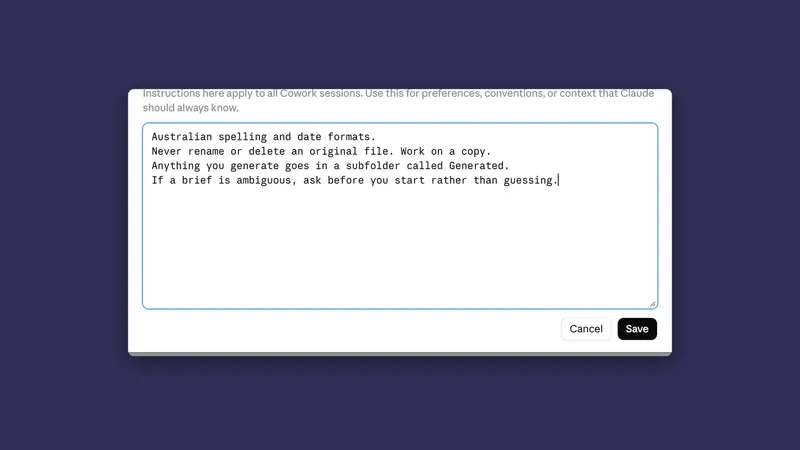
Global instructions. Things true of everything you ever ask. Settings, then Cowork, then Edit next to Global instructions, or Instructions for Claude under Settings, then General, once your account has the merged box.
Project instructions. Things true of this stream of work.
Folder instructions. Things true of this folder’s contents.
One thing to know before you start typing: depending on when you read this, there are either two account-wide boxes or one. Until now there have been two. Global instructions, under Settings then Cowork, apply to Cowork sessions, the ones where Claude goes away and does the work. A second box called Instructions for Claude, under Settings then General, applies to your conversations, and filling in one does not fill in the other. Anthropic is now folding the Cowork box into Instructions for Claude, starting with Pro and Max plans and rolling out in stages, so you may already have a single box. If you still see two, as the screenshots here do, write the five lines once and paste them into both. If you see one, check that what ended up in it is what you want.
There is a fourth layer, above all of them, if you are on Team or Enterprise: organisation instructions, set by an Owner. They apply to every conversation across the organisation, and where one of them contradicts something you have set, the organisation’s version wins. Where it says nothing, yours still applies. Only Owners and above can see what is in there, so if something is behaving oddly and you cannot work out why, that is worth asking about before you assume it is you.

What actually belongs at each level
The mistake is not writing too few instructions. It is writing the right instruction at the wrong level.
Global. How you write and how you want to be dealt with. Not what you work on.
Australian English. Never use em dashes.
Give me the short answer first, then the detail if I ask.
If a brief is ambiguous, ask rather than guessing.
When you save a file, tell me the full path.
Prices are ex GST unless I say otherwise.
Five lines. All of them true whether I am writing a proposal, sorting photos or reconciling a spreadsheet.
Project. The client, the context, the standing constraints for this stream of work.
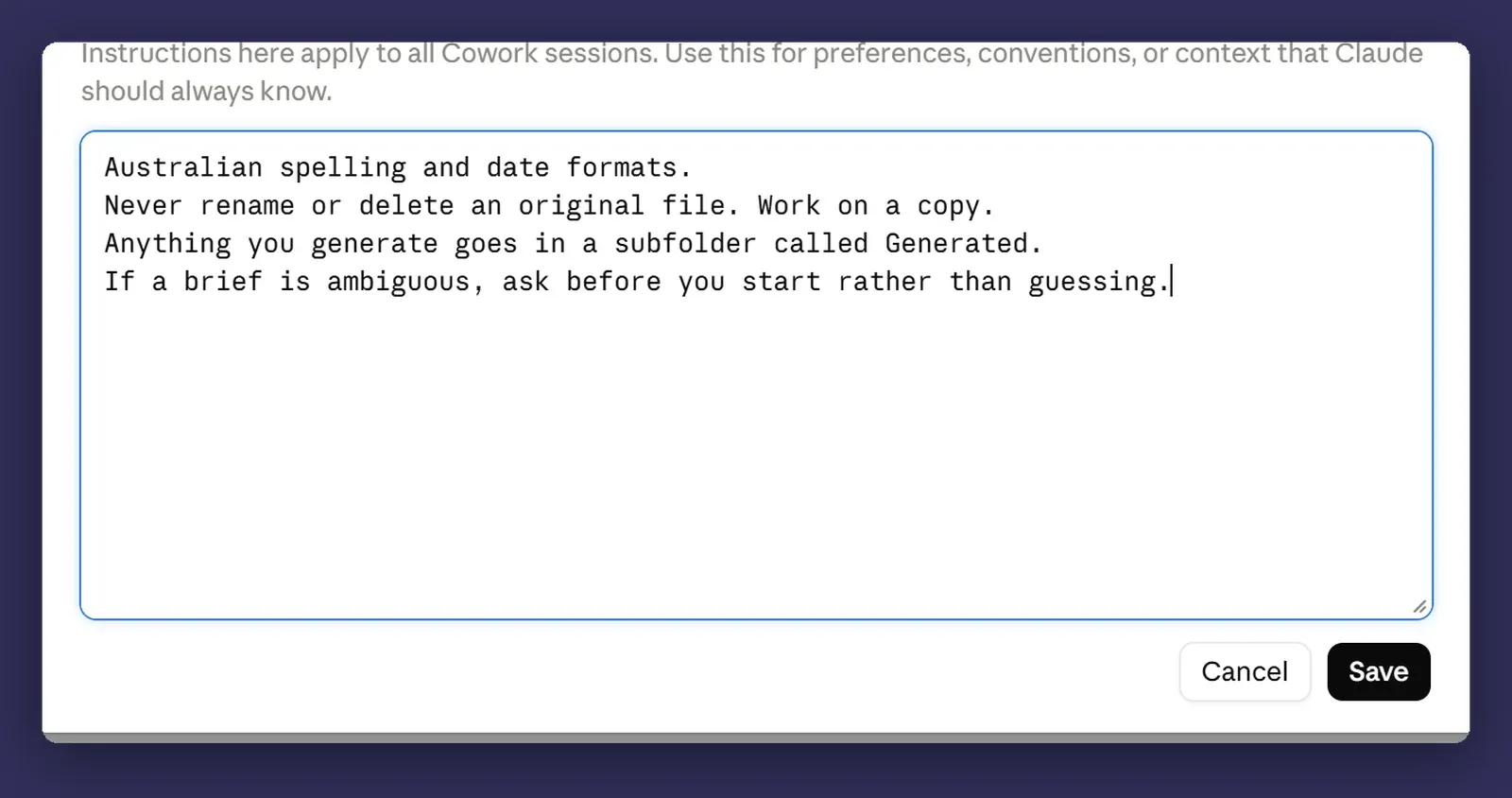
Northwind Fitouts, commercial fitout, Brisbane. Client contact is
the facilities manager, not the site team.
Reports go in the Reports subfolder, never the root.
Never include cost figures in anything client-facing.
Use the template in Templates > northwind-report-template.docx.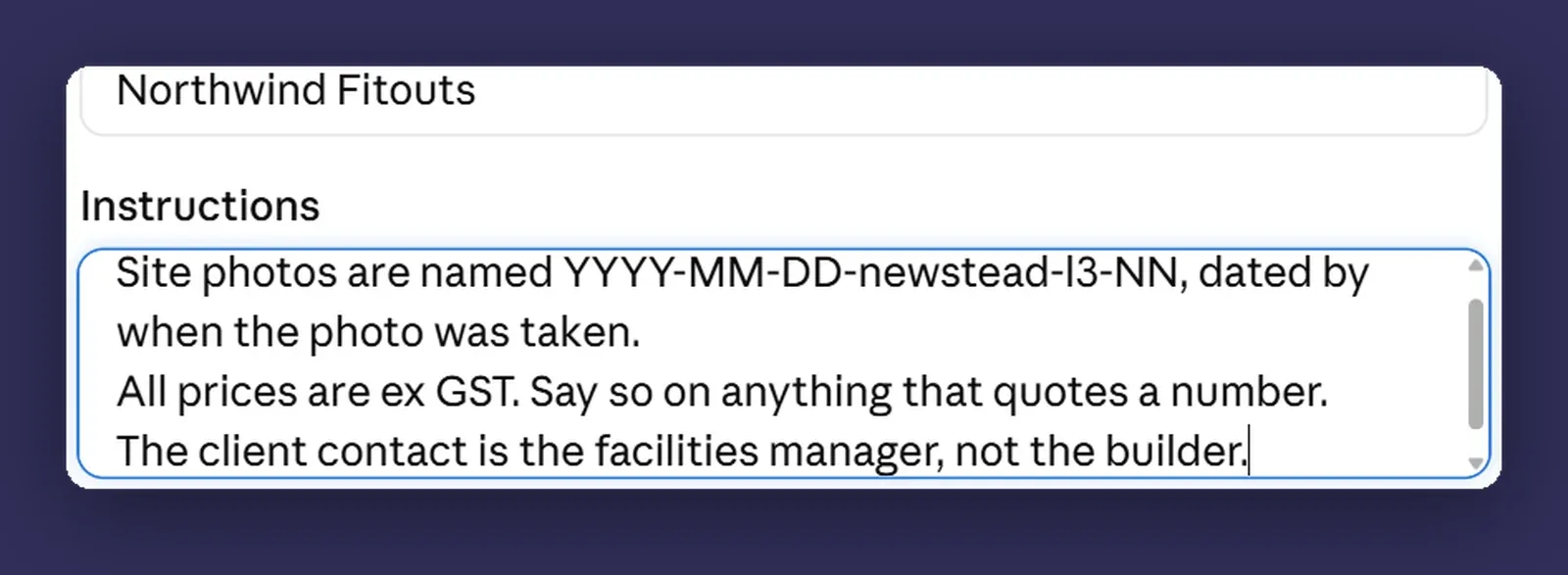
On Team and Enterprise a project can be shared with the people you work with, so a project instruction is not a private note to yourself. It is a rule for everyone who opens that project.
Folder. Rules about the contents of one folder.
These are originals. Never rename or overwrite anything in here.
Write outputs to the Generated subfolder.
Folder instructions are the narrowest and the hardest to get wrong, which makes them a good place to start if you are nervous about any of this. Two things separate them from the layers above. They only exist when you have a local folder selected in the desktop app, so they are the one layer that does not follow you to your phone. And Claude can edit them itself during a session, which means the rules in a folder can change without you having typed anything.
The mistake everybody makes once
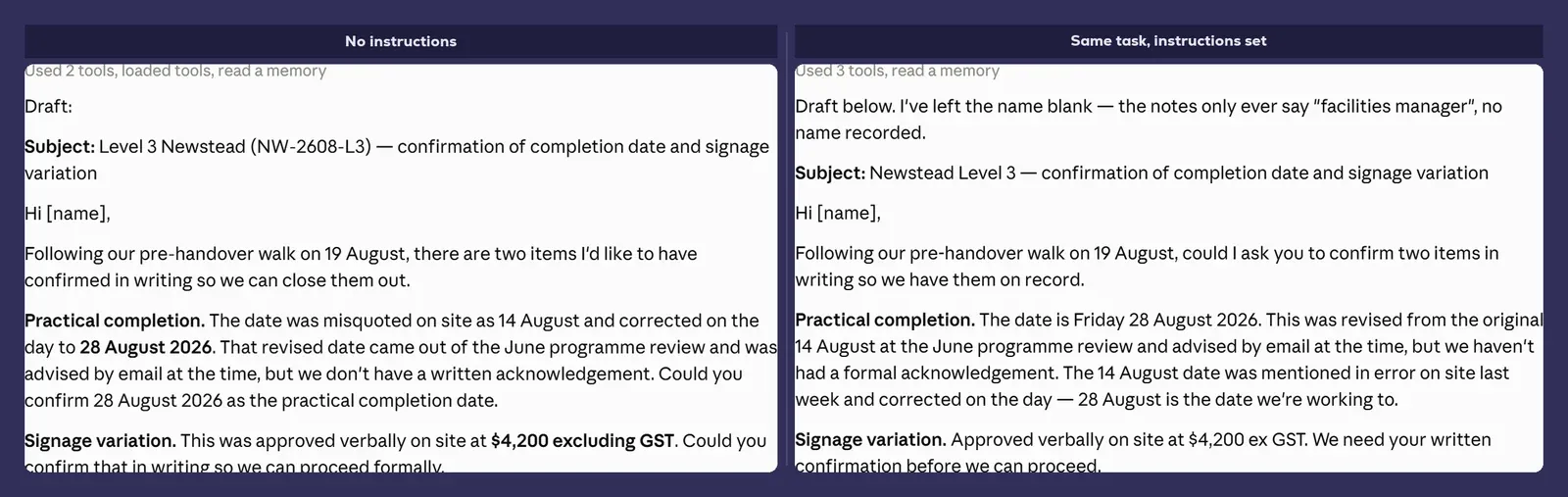
Putting task detail in global instructions.
It goes like this. You are doing a big piece of work for one client, you keep having to explain their tone of voice, and you put it in global instructions because that is the box you happen to have open. It works. The job goes well.
Three weeks later you are writing something unrelated and it comes out sounding like that client, and you have forgotten why, because you set it and never looked at it again.
The test: if the instruction contains a client’s name, a project name or a filename, it is not global.
Keep them short
A wall of instructions dilutes the ones that matter. Long global instructions get partly followed, and the part that gets dropped is not the part you would choose.
If your global instructions have grown past about ten lines, some of them are project instructions in the wrong place. Move them down a level.
Anthropic’s own advice to admins setting the organisation-level box says the same thing: keep it short, be specific rather than vague, and do not let two instructions contradict each other, because when they do neither one gets followed reliably.
The other reason to keep them short is that you have to read them occasionally. Nobody re-reads a page of settings. Everybody re-reads five lines.
Instructions are not the same as reference documents
Worth drawing a line here, because these get conflated.
Instructions are settings: short, standing, about how you work. A reference document is a file full of knowledge that Claude reads when it needs it, and it can be as long as it needs to be. Client context, lessons learned, decisions and why they were made.
If what you are trying to capture is knowledge rather than a rule, it belongs in a file, not a settings box. I wrote about that separately in Building a Second Brain with Claude, and the two work well together: instructions tell it how to behave, reference documents tell it what it needs to know.
Where it bites
A change is not instant. Edit your instructions mid-task and the task already running may finish under the old ones, so start a new session after any change you actually care about. If the change was made by an admin at the organisation level, allow up to an hour for it to reach everyone.
Long instructions get partly ignored. This is not a bug you can argue with. If everything is important, nothing is. Ten short lines beat a page.
There is no version history. Nothing tracks what your instructions used to say, so if you edit them and the output gets worse, you are reconstructing from memory. Folder instructions make that worse, because Claude can update those itself while it works. Keep the master copy in a file, in a folder, where you can see what changed. It takes a minute and it is the sort of thing you only regret not doing once.
Organisation instructions win and you cannot see them. Only Owners and above can read what is set there. It applies to your conversations whether you know about it or not, and it is capped at 3,000 characters, so it is a short policy rather than a manual. Worth asking what is in it rather than debugging around it.
Next
Post seven: projects, and giving it a memory that stays put. If you have been running everything in one long conversation, that is the post that fixes it.
Steal the global instructions block above if it is useful. It is five lines and it will save you typing the same sentence for the next year. And if you would rather work out what your standing instructions should say with someone who has seen a few of these, that is a conversation, not a pitch.