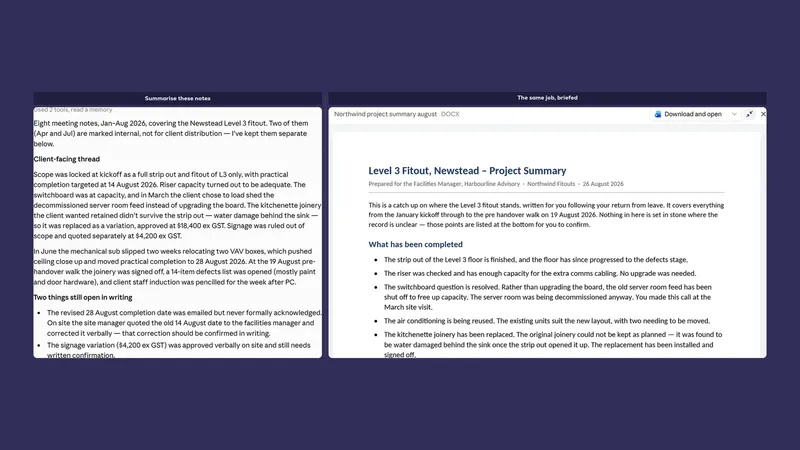
Stop prompting. Start briefing.
By Stephen Kearney
The people getting the least out of Claude are the ones writing the shortest instructions.
That sounds like a criticism and it is not. It is a habit we all picked up from search engines, where terse was correct and typing a whole sentence marked you as someone’s dad. Three words into Google was the skill. Three words into Claude is a waste of the thing.
This is the fourth post in a series on getting actual work out of Claude. Post one covered chat versus Cowork, two covered folders, three covered approval modes. This one is the highest-return skill in the whole series, and there is nothing technical about it.
A prompt asks. A brief describes.
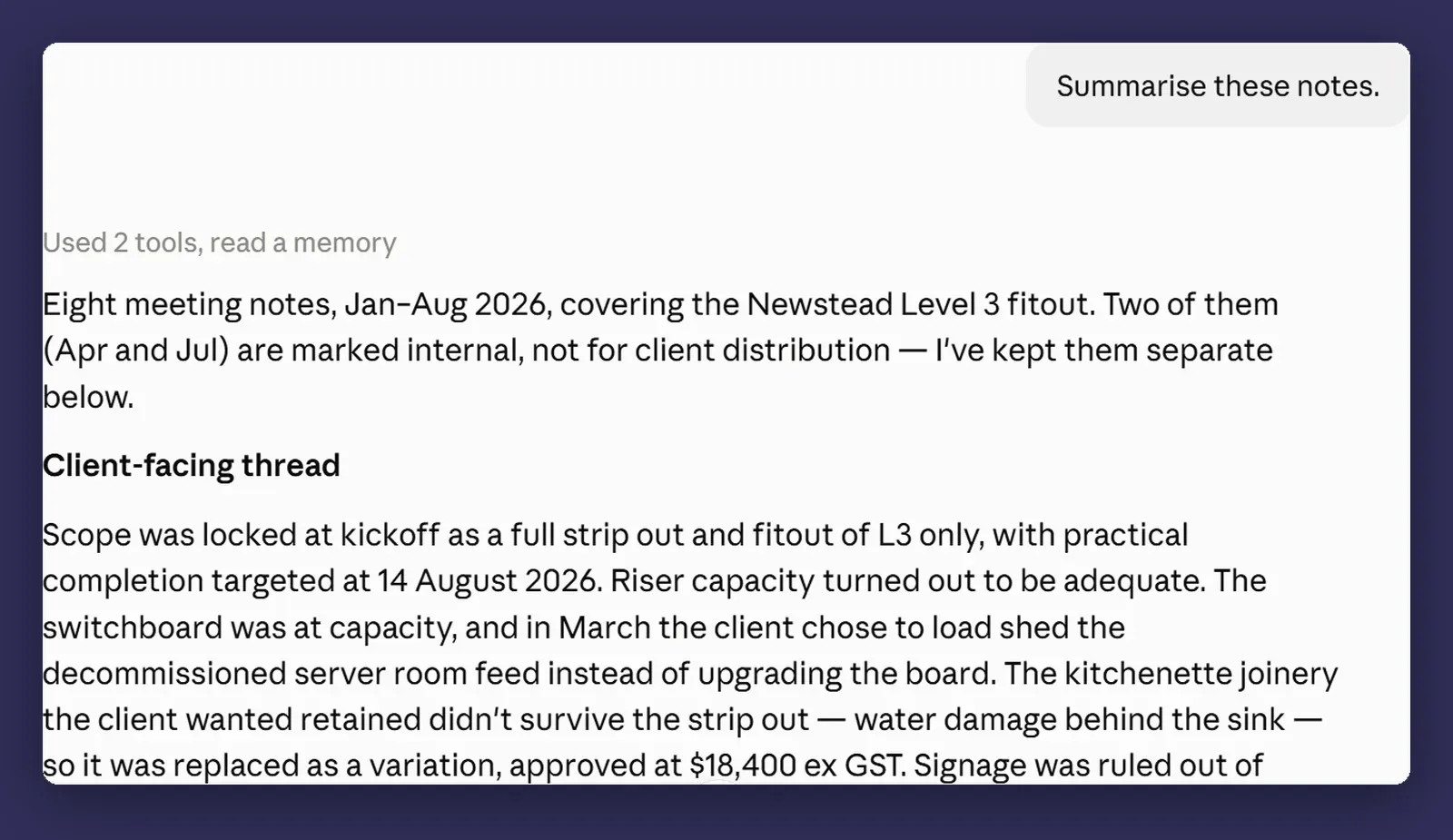
A prompt is a question. “Summarise these notes.”
A brief is a description of a finished thing. It says what the output is, who is going to read it, what to build it from, and how you will know it worked.
The difference in output is not subtle, and it is not because the second one is longer. It is because the first one leaves four decisions to Claude, and Claude will make all four, reasonably, and produce something that is a perfectly good answer to a question you did not ask.
The four things a brief needs
What the output is. A Word document. A one-page summary. Six bullet points in an email. Not “a summary”, which could be any of those.
Who it is for. A client who has not been in the project for three months reads differently from your own site manager. This single line changes more about the output than any other.
What to use as source. Which files, which folder, and what to ignore. “Everything in the notes folder except the ones marked internal” is a real instruction. “These notes” is not, once there are eleven of them.
What done looks like. Length, tone, what has to be in it, what must not be. The last one matters more than people expect. “Do not include cost figures” is a sentence that saves a phone call.
Here is the same job, briefed:
Read everything in the Northwind Fitouts > Meeting Notes folder from
January onwards, except anything with "internal" in the filename.

Write a project summary for the client's facilities manager, who has
not been across the detail since the March site visit.

One page, Word document, saved into the same folder as
northwind-project-summary-august.docx. Plain English, no jargon,
Australian spelling.

Cover: what has been completed, what is outstanding, and the two
dates they need to be aware of. Do not include any cost figures.

If anything in the notes contradicts something else, flag it at the
bottom rather than picking one.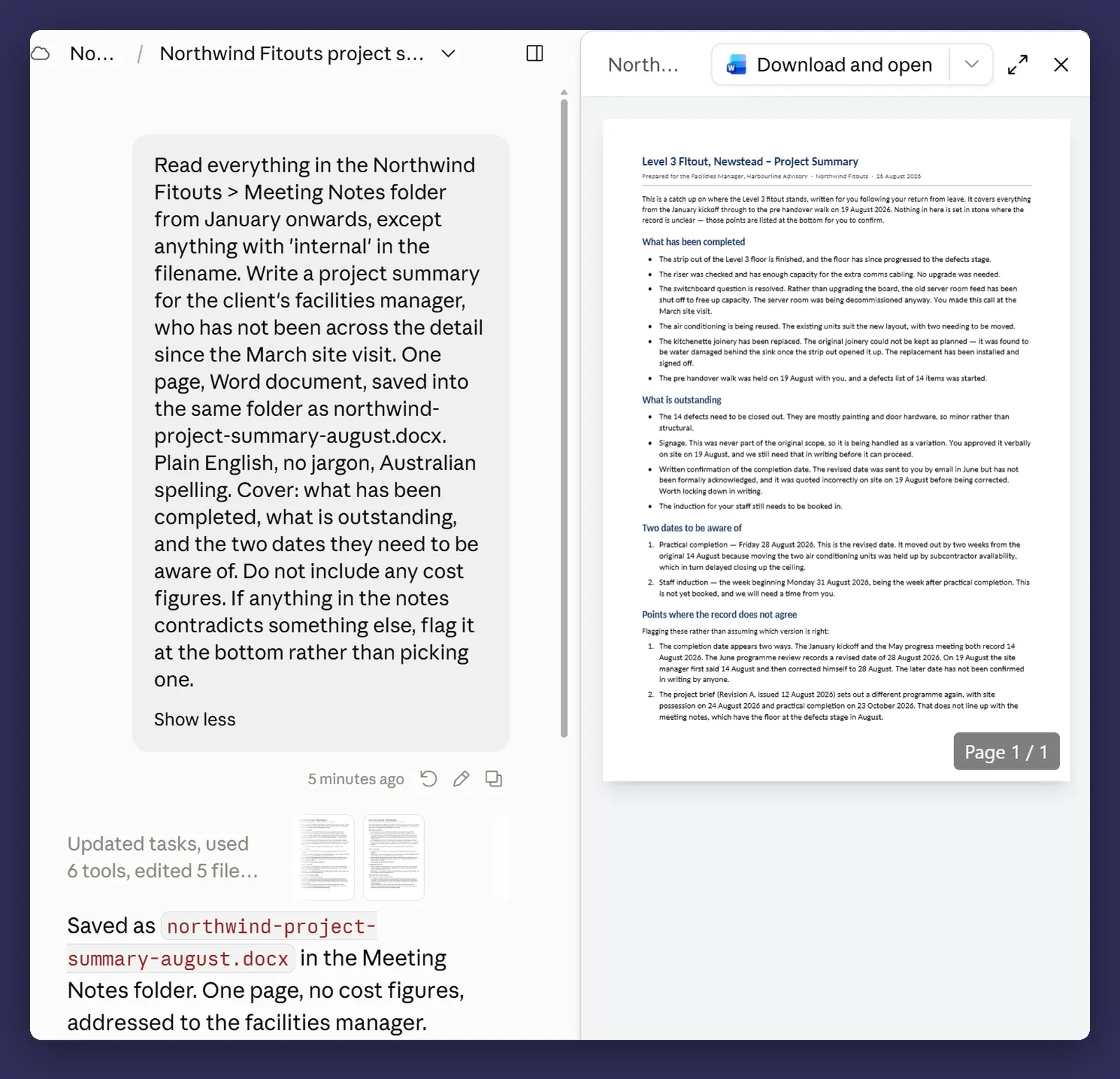
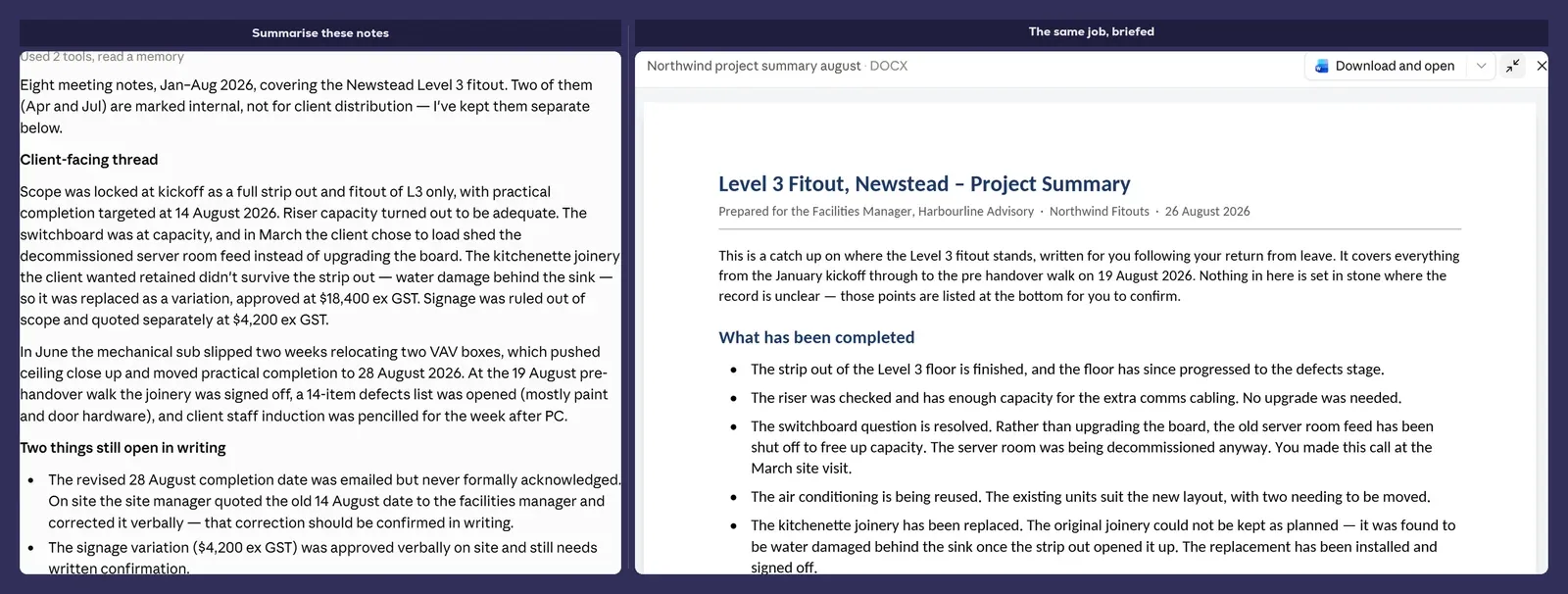
That last clause about contradictions is the one I would keep if I could only keep one. Notes from six months of meetings always disagree with each other somewhere, and a summary that silently picks a winner is worse than no summary.
Let it ask you questions
Claude will ask clarifying questions if you leave room for them. Most people do not leave room, because they write the instruction as a command and hit enter.
Try ending a brief with “ask me anything you need before you start” and see what comes back.
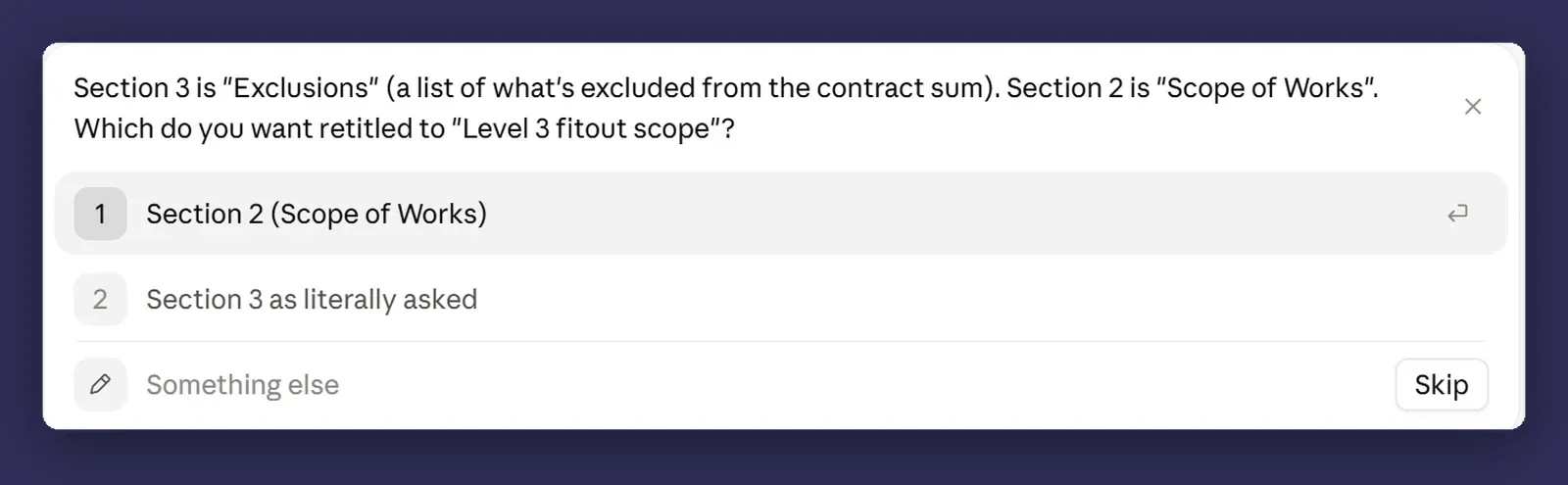
The questions are also diagnostic. If it asks something you thought was obvious, your brief was ambiguous and you have just found out cheaply. If it asks nothing, you probably wrote a good one.
Ask for the plan before the work
On anything long, add one line: “Show me your plan before you start.”
You get back a numbered list of what it intends to do. Ninety percent of the time it is right and you say go. The other ten percent, it has misread the job at step two, and you have caught it before it spent six minutes building on that misreading.
This is the single cheapest habit in the series. One extra line, one extra look, and it turns a long task from something you hope goes well into something you have checked.
Correcting mid-run beats starting again
You can interrupt a running task and redirect it. Say what is wrong, it adjusts, and it keeps the context it has already built up.
The instinct is to stop it, close the session and start again with a better instruction. That throws away everything it has learned about your files in the process. Correcting is nearly always faster, and it is how the good sessions go: not one perfect instruction, but six ordinary ones in a row with you steering.
The pattern for anything repetitive
When a job has twenty of something in it, do not ask for twenty.
Do the first one, then stop and show me before you do the rest.Check it. Fix the thing that is wrong. Then let it run the other nineteen with the correction applied. This turns one large disappointment into one small one, and it is the difference between rework on one item and rework on twenty.
Where it bites
Over-specifying is a real failure mode. A five hundred word brief for a two line job means you have spent more time than you saved, and you have written a worse instruction, because the important parts are now buried in the unimportant ones. Match the brief to the job.
A precise brief that is wrong gets executed precisely. This is the honest risk of getting good at this. Vague instructions produce vague output that you notice is off. A well-written brief with a wrong assumption in it produces confident, well-formatted, entirely misdirected work, and it looks right at a glance. Read your own brief once before you send it.
Briefs do not survive being reused blindly. The brief that worked in March references a folder structure that changed in June. Copying an old brief without reading it is how you get an output built from the wrong source.
The template, if you want it
Steal this. It fits most jobs and takes a minute to fill in.
OUTPUT: [what artefact, what format, where it gets saved]
AUDIENCE: [who reads it and what they already know]
SOURCE: [which files or folders, and what to ignore]
DONE LOOKS LIKE: [length, tone, must include, must not include]
IF UNSURE: [flag it / ask me / make a call and note it]

Show me your plan before you start.
The last line is not optional as far as I am concerned.
Next
Post five: getting documents out that you do not have to redo. Excel with working formulas, decks that match your template, Word that looks like your Word.
If your team is producing the same document every month and rebuilding it by hand each time, that is the first thing to point this at. Happy to talk it through if you want a second opinion on which job to start with. That is a conversation, not a pitch.